Summary: Screen time is a growing concern for parents of middle schoolers, especially in a digital learning environment. This post explores the science behind screen use, its effects on tweens and teens, and strategies to help homeschooling families balance tech use while maximizing learning with A+ Virtual Learning.
In today’s tech-driven world, screen time is nearly unavoidable—especially for middle school students engaged in online learning. While digital tools provide unmatched educational opportunities, they also bring challenges: eye strain, reduced physical activity, and potential mental health concerns. As more families turn to virtual homeschool platforms like A+ Virtual Learning, the question naturally arises: how much screen time is too much? And more importantly—how can we strike a healthy balance between screen-based learning and offline life?
Let’s break down what the research says, what healthy screen habits look like, and how you as a homeschooling parent can guide your child toward responsible, productive, and mindful tech use.
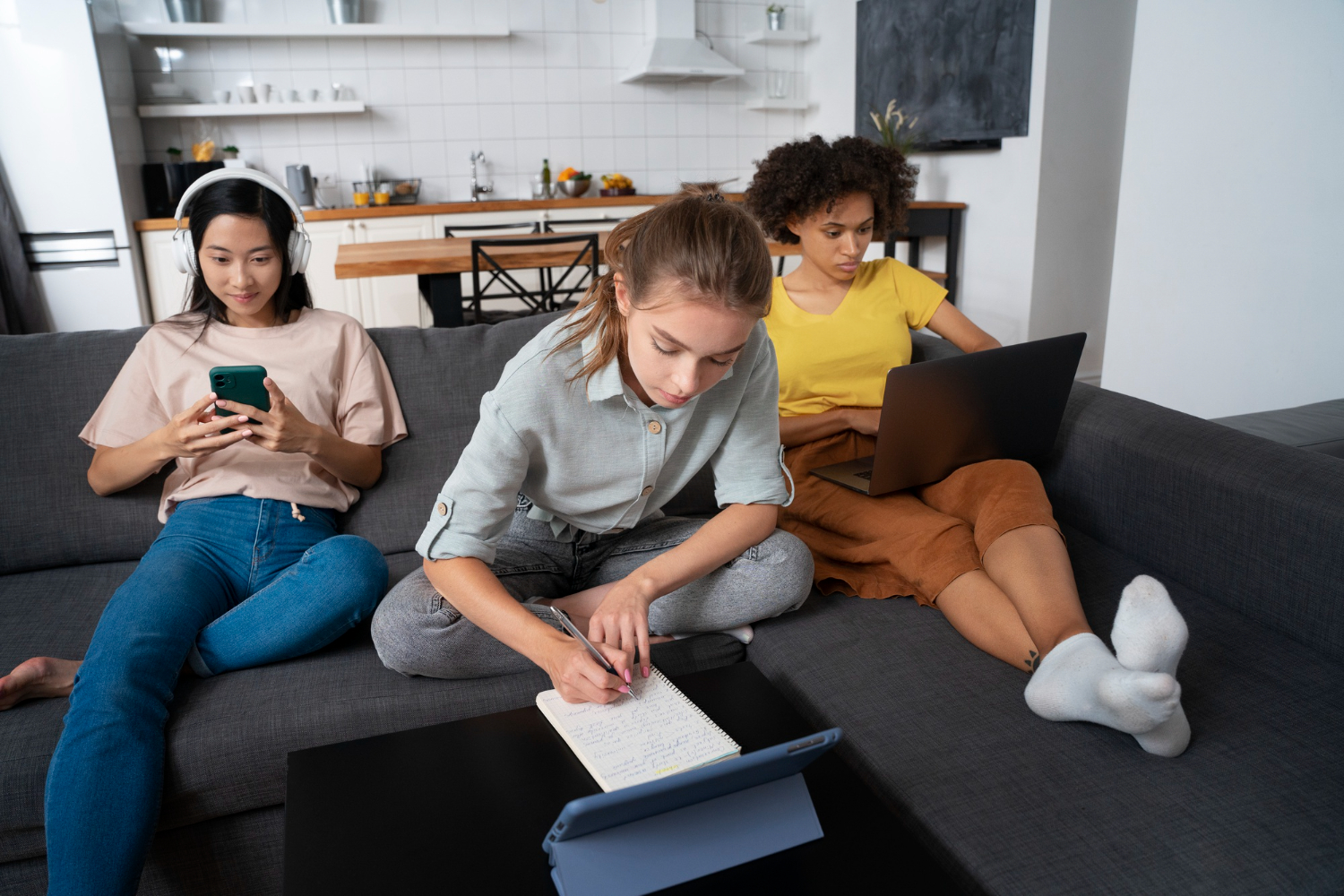
Middle school is a crucial period of cognitive, emotional, and social development. The preteen and early teen brain is rapidly changing—forming habits, building identity, and learning to regulate emotions.
Studies suggest that excessive recreational screen time (especially social media, gaming, and video streaming) may disrupt sleep cycles, increase anxiety or depression symptoms, reduce attention span and memory retention, and decrease physical activity, contributing to obesity. According to the American Academy of Pediatrics (AAP), kids aged 11–14 should ideally limit recreational screen time to about 2 hours per day. However, educational screen time—such as virtual classes, reading, or creative projects—is typically considered differently, especially when part of a structured homeschool program like A+ Virtual Learning.
It’s important to distinguish between passive screen time (scrolling, binge-watching) and productive screen time (interactive learning, researching, creating). When used intentionally, screens can support deeper learning through videos, simulations, and digital labs; enhanced engagement with interactive tools; access to qualified instructors via live virtual classes; and skill-building in research, typing, and digital citizenship.
In fact, A+ Virtual Learning is designed with healthy tech use in mind. Its curriculum includes age-appropriate pacing and breaks, interactive content to avoid passive screen use, balanced assignments that mix digital and offline work, and parent tools to monitor time and performance. The key is ensuring online learning supports your child’s growth—not just fills time.
Even when much of the screen time is educational, it’s possible to reach overload. Here are some warning signs your child may be getting too much screen exposure: eye fatigue or headaches after schoolwork, increased irritability or mood swings, trouble sleeping (especially if screens are used before bed), difficulty focusing or finishing assignments, and withdrawal from offline activities or family interaction. If you notice these behaviors, it may be time to re-evaluate your child’s screen habits and add more balance into the daily routine.
Here’s how parents can support healthy screen habits without compromising their child’s learning through a virtual homeschool program:
Looking at screens for long stretches can cause digital eye strain. The 20-20-20 rule is a simple but effective tool: every 20 minutes, take a 20-second break and look at something 20 feet away. Encourage your child to blink more, stretch, and occasionally switch to paper-based tasks. A+ Virtual Learning’s flexible schedule allows for screen-free breaks between lessons.
Balance digital work with offline activities. This could include reading from a printed book, writing journal entries by hand, doing science experiments, art, or crafts, or outdoor nature walks tied to science lessons. A+ Virtual Learning provides curriculum guides that allow families to schedule blocks of offline work throughout the week to help break up screen time while supporting overall learning.
Structure your household to include intentional screen-free times, such as during meals and family activities, one hour before bedtime, and at least one day a week (a “tech Sabbath”). Also, consider making bedrooms screen-free to support healthy sleep. These simple boundaries teach kids how to disengage and be present offline—a critical skill in the digital age.
Track both educational and recreational screen use to understand your child’s total daily exposure. Then set limits accordingly: use built-in device tools (like Screen Time on iOS or Family Link on Android), establish family tech rules (e.g., 30 minutes of gaming only after school tasks), and plan tech-free alternatives (board games, books, physical play). Remember: a screen time budget isn’t about punishment—it’s about making conscious, balanced choices.
Your child watches what you do, not just what you say. Be mindful of your own screen habits: don’t check your phone during conversations, take breaks from your own devices, and engage in offline hobbies with your child. When parents model healthy digital habits, kids are more likely to follow suit and treat technology as a tool—not a default behavior.
Unlike many online programs, A+ Virtual Learning is intentionally designed to support healthy tech habits for middle school students. Here’s how: lessons are self-paced, allowing families to schedule screen-free time; assignments include offline components like writing, experiments, or physical projects; teachers encourage active participation to reduce passive screen exposure; and parents get tools to track performance and monitor engagement.
This thoughtful design ensures that your student benefits from the advantages of virtual education—without the downsides of excessive screen use.
In today’s educational landscape, screens have become an essential part of learning—but what truly matters is how we use them. With the right boundaries, parental support, and healthy habits, your middle schooler can enjoy a balanced homeschool experience that encourages curiosity, builds essential skills, and supports mental and physical well-being. At A+ Virtual Learning, our flexible and accredited homeschool programs make screen time purposeful—turning digital learning into an opportunity for focus, creativity, and growth.
If you’re exploring the right stage to begin your child’s homeschool journey, you might also find our article on Why Middle School Is the Perfect Time to Start Homeschooling helpful—it explains why this phase can be a powerful starting point for long-term academic success.
Looking for a homeschool program that supports healthy digital habits? Learn more about middle school virtual learning options at www.aplusvirtual.com.

 844-977-0040